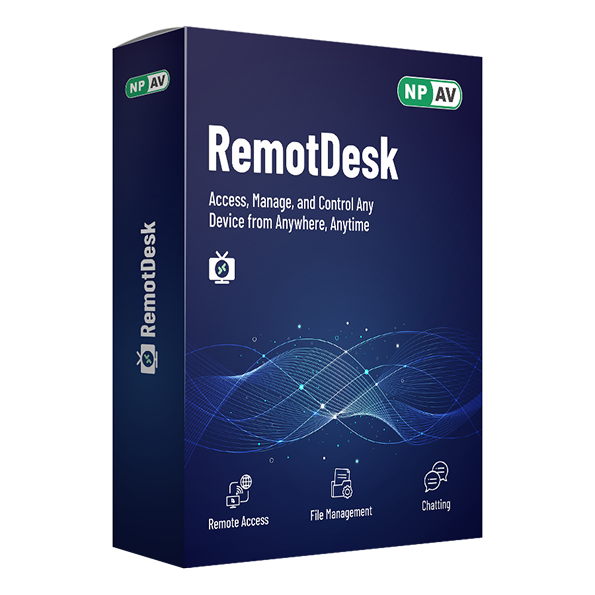
RemotDesk

Remote Software is an intelligent remote-access tool that lets you connect to your devices from anywhere, at any time.

You can securely access your files, applications, and system just as if you were sitting in front of your computer.

Whether you're working from home, traveling, or supporting your team remotely, Remote Software keeps you connected, productive, and in full control.

Buy Now Request Demo Datasheet Video Icon Watch Now
Feature Icon

Features

Full Control of Remote Device

Take full charge of any remote device — manage apps and fix customer issues instantly, with zero interruptions.

Multi-Platform Support

Connect from anywhere. Works smoothly across all Windows operating systems, giving you easy, seamless access to your devices in one place.

Remote File Access

Easily work with your files from anywhere to your remote device. Upload, download documents , work on a remote device — keeping your connected to your work smoothly

Secure Data Handling

Your data is always safe. Every file transfer is fully encrypted, so your important information stays protected and private.

Instant Messaging

Send and receive messages on remote device right away — no need for any extra apps.

Screenshot

Capture screenshots of the remote device’s screen to quickly identify and troubleshoot issues.

RemotDesk Featured Video

Request For Demo

Try Demo For 7 Days

We do not share your information with any third parties.

About Us

Net Protector is leading Cyber Security providers. Net Protector has been actively involved in Research and Development of Anti-Virus and security software's from many years.

RemotDesk is one of the security software from Net Protector Antivirus Lab used to control the Internet access and block Internet applications from running on your Windows computers.

RemotDesk is suitable for use in companies, schools, small businesses even on single Windows computer

FAQs
Frequently Asked Questions

+ What is RemotDesk ?

RemotDesk enables users to remotely access and control computers from different locations, providing access to files, applications, and resources as if they were physically presentIt facilitates tasks like troubleshooting, file access, and remote work, benefitting IT professionals and remote workers. Remote desktop software transmits screen, mouse, and keyboard inputs between devices, allowing seamless interaction with the remote system

+ Which operating systems does RemotDesk support? Is it compatible with Windows 8?

RemotDesk almost support on all windows xp and later version. 1)Windows 8 Professional, Enterprise and Ultimate 2)Windows 7 Professional, Enterprise and Ultimate 3)Windows XP Professional 4)Windows 2003/2008 Server 5)Windows Vista 6)RemotDesk is compatible with 32-bit and 64-bit platforms and it also support windows 8.

+ Can I monitor more than one child's computer?

Absolutely. With RemotDesk you can monitor an unlimited number of computers. And because of its web-based, all of the computers that you are monitoring will automatically send the recorded information to your online central reporting system and RemotDesk is fully compatible on the Windows 8 operating system.

+ What are the limitations of the trial?

The RemotDesk trial is fully functional is valid for 7 days only. The trial version is fully functional. You can use all of RemotDesk features during the trial. It can be installed on up to 1* computers.

+ How do I install and uninstall RemotDesk on a computer?

RemotDesk comes with very handy executable "RemotDesk.exe". Just run and Type key number provided by RemotDesk. You cannot uninstall RemotDesk from computer without System Admin permission. To uninstall System Admin will select and uninstall computer from his Dashboard.

Remote Software is an intelligent remote-access tool that lets you connect to your devices from anywhere, at any time.

You can securely access your files, applications, and system just as if you were sitting in front of your computer.

Product

Follow Us